Export Sheet as PDF
You can export your sheet as a PDF file. To do this, follow these steps on each platform:
iOS/iPadOS
-
Open the sheet you want to export.
-
Tap the
Printbutton.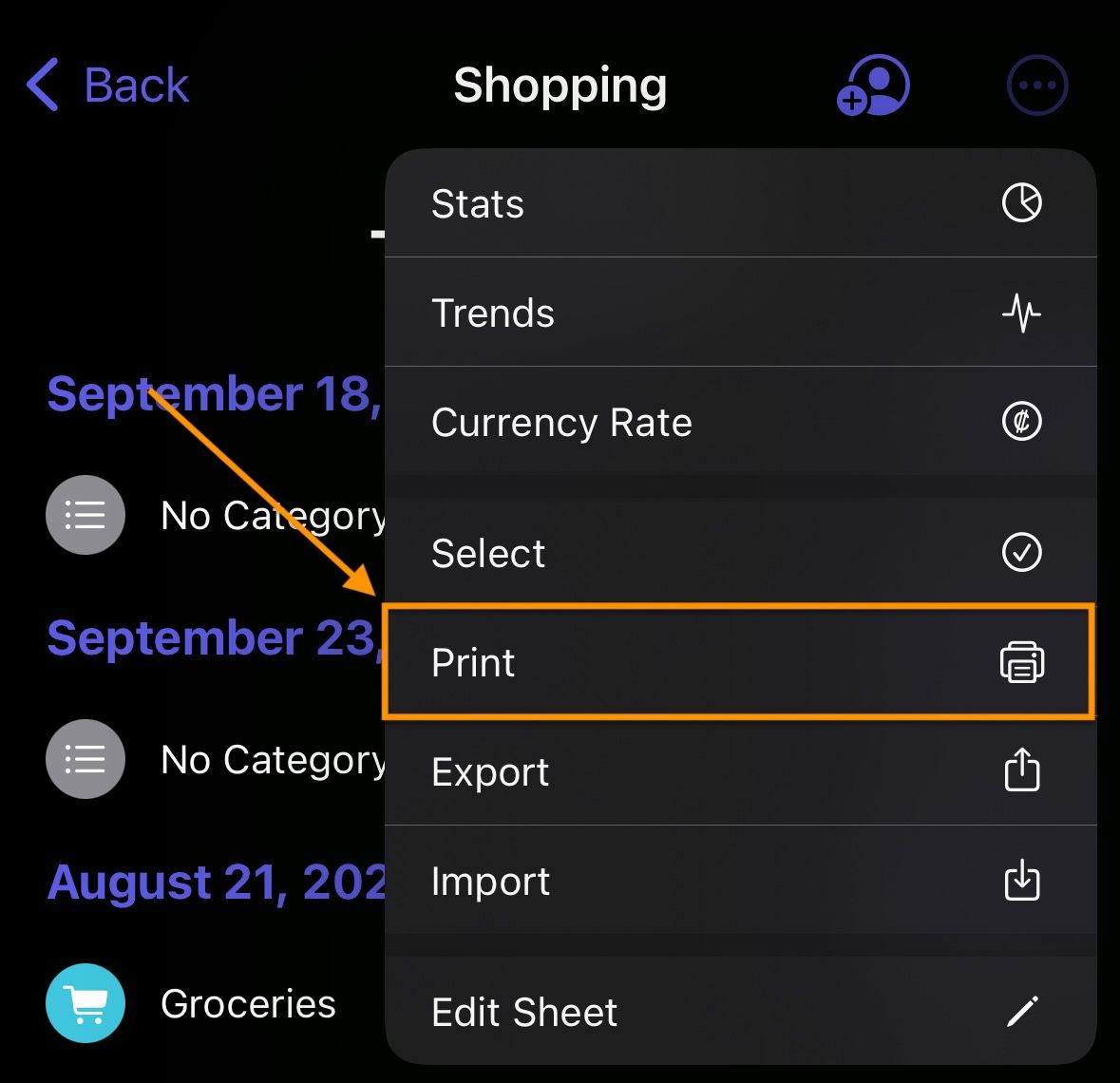
-
Select the
Save as PDFbutton via theSharemenu.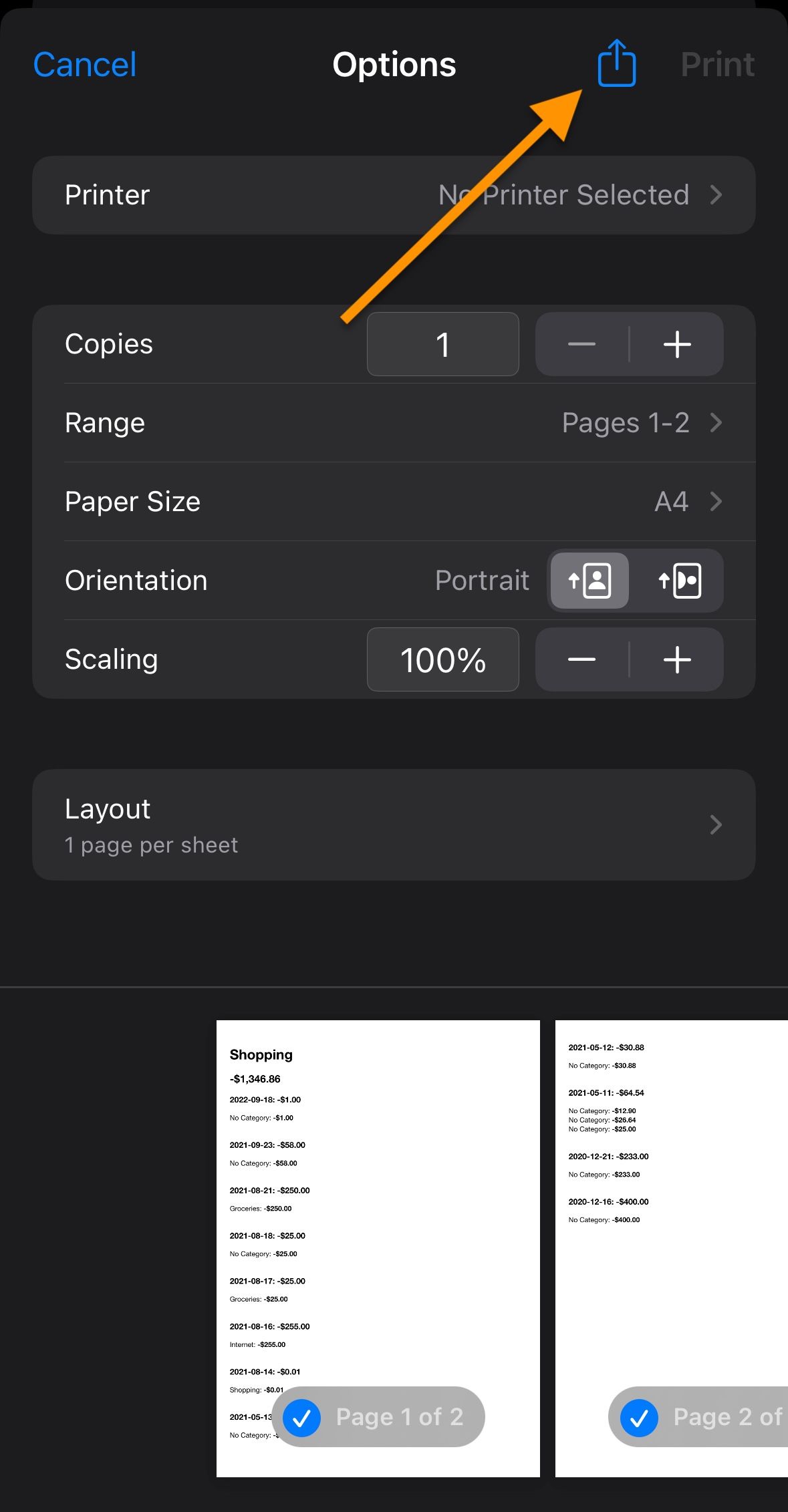
macOS
-
Open the sheet you want to export.
-
Tap the
Printbutton.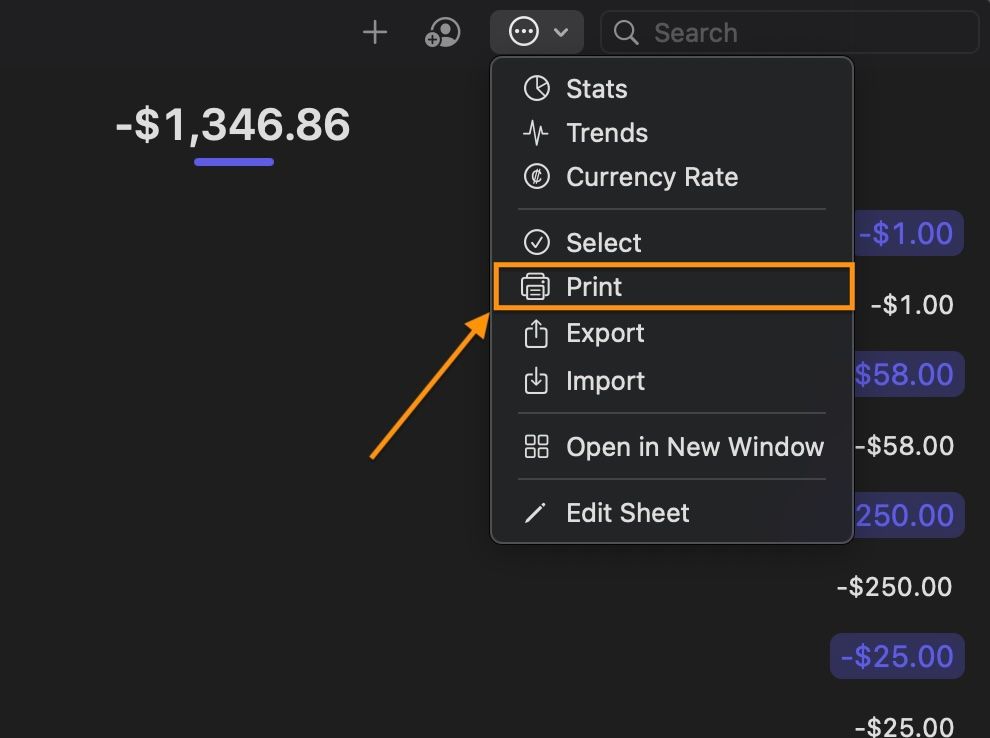
-
Select the
Save as PDFbutton via theSharemenu.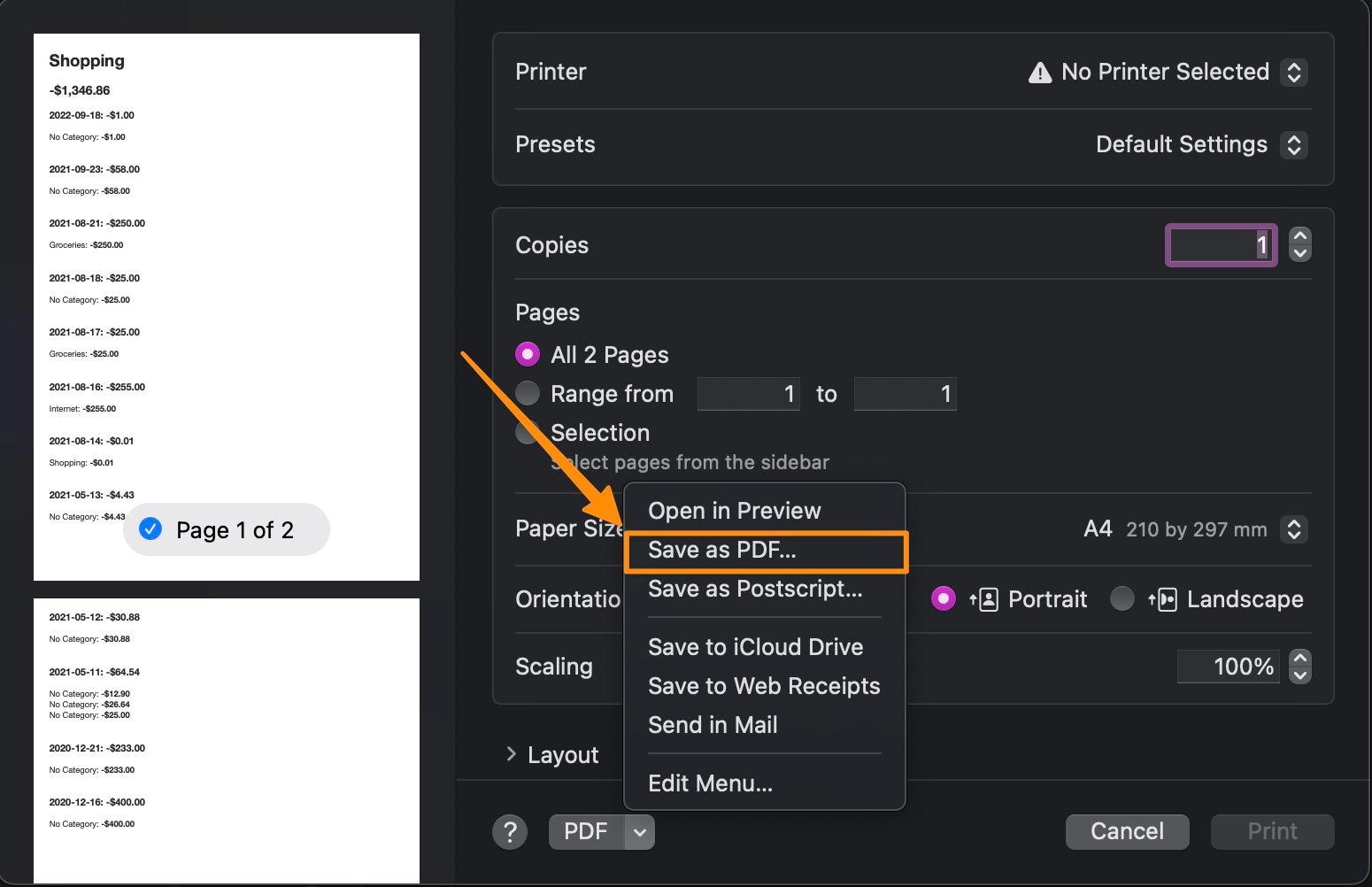
If you still have questions, we're here to help. Please get in touch and we'll respond shortly.