Troubleshooting Fetching Changes
If you see Error fetching changes in zone ... :client knowledge differs from server knowledge, try the steps below. For more information, see Troubleshooting iCloud Sync.
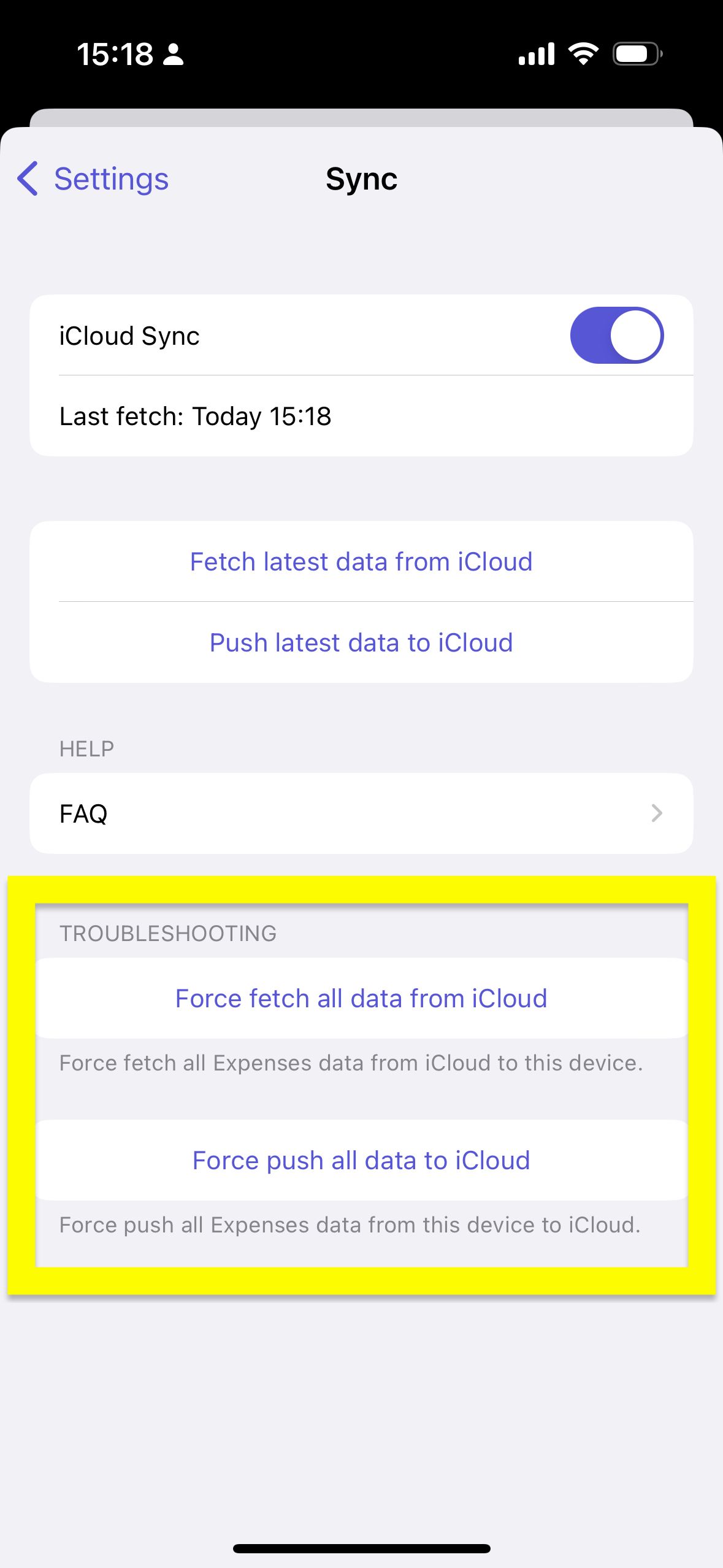
iOS/iPadOS
- Restart your device
- In Expenses, open
Settings->Sync - Tap
Force push all data to iCloudto make sure your data is in iCloud - Delete the app and reinstall it
- In Expenses, open
Settings->Sync - Tap
Force fetch all data from iCloud
macOS
- Restart your Mac
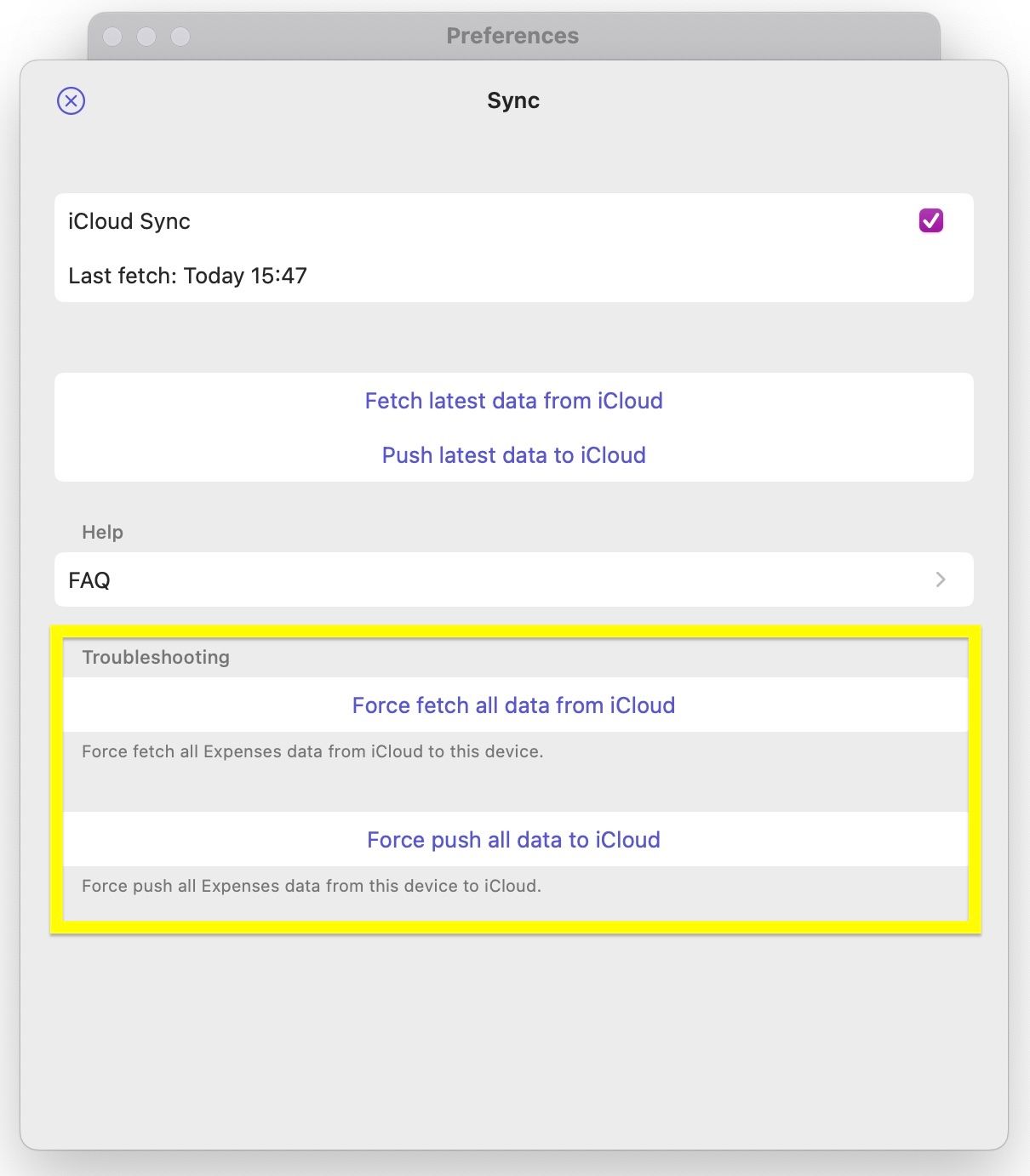
- In Expenses, open
Settings->Sync - Click
Force push all data to iCloudto make sure your data is in iCloud - Delete the app and reinstall it
- In Expenses, open
Settings->Sync - Click
Force fetch all data from iCloud
If you still have questions, we're here to help. Please get in touch and we'll respond shortly.