Troubleshooting iCloud Sync
First, make sure you’re signed in to the same iCloud account on both iOS/iPadOS and macOS, that you have enough iCloud storage, and that you are using the latest version of the app. If it still doesn’t work, follow the steps below.
If you can’t enable iCloud Sync, see Enable iCloud Sync.
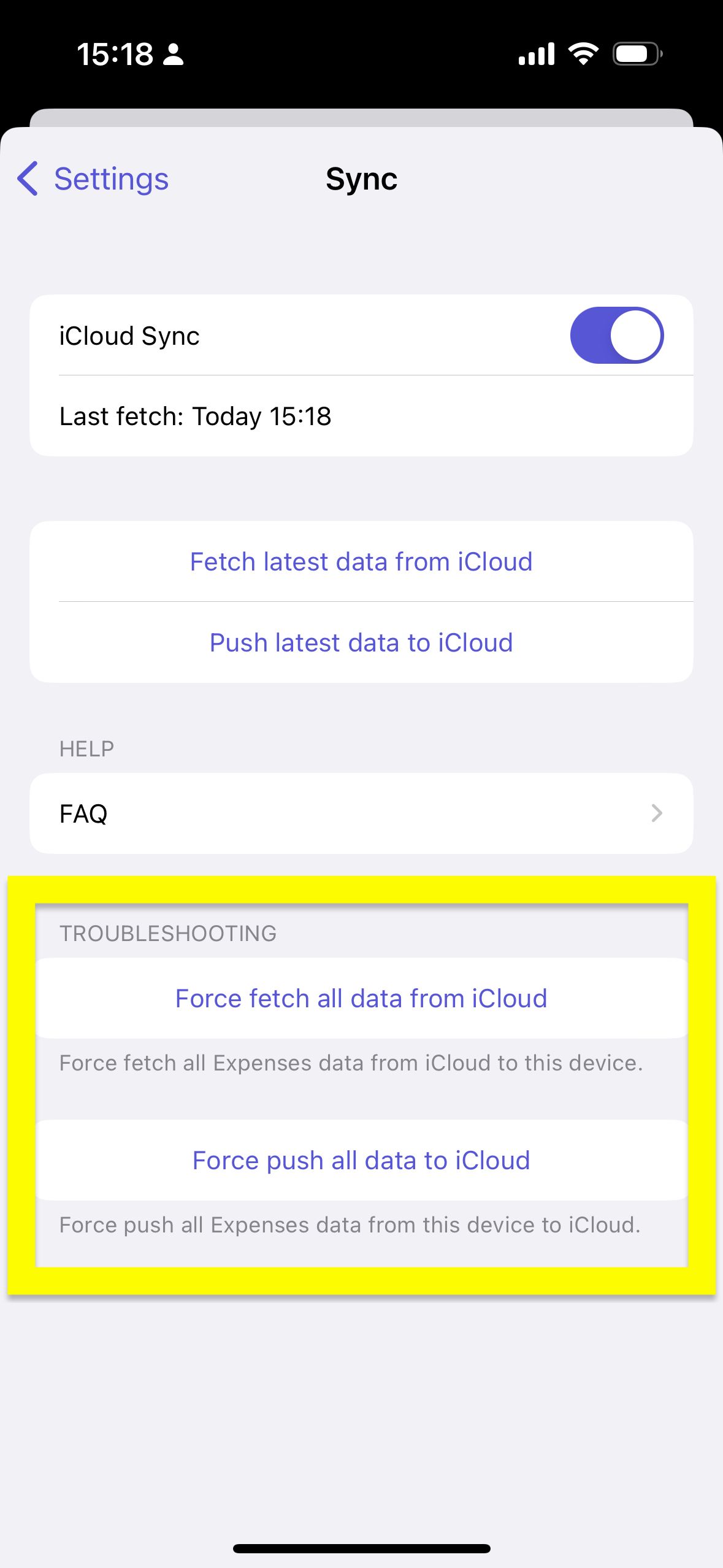
iOS/iPadOS
- In Expenses, open
Settings->Sync - Make sure
iCloud Syncis turned on - Tap
Force push all data to iCloud - Tap
Force fetch all data from iCloud - Check whether the data is synced
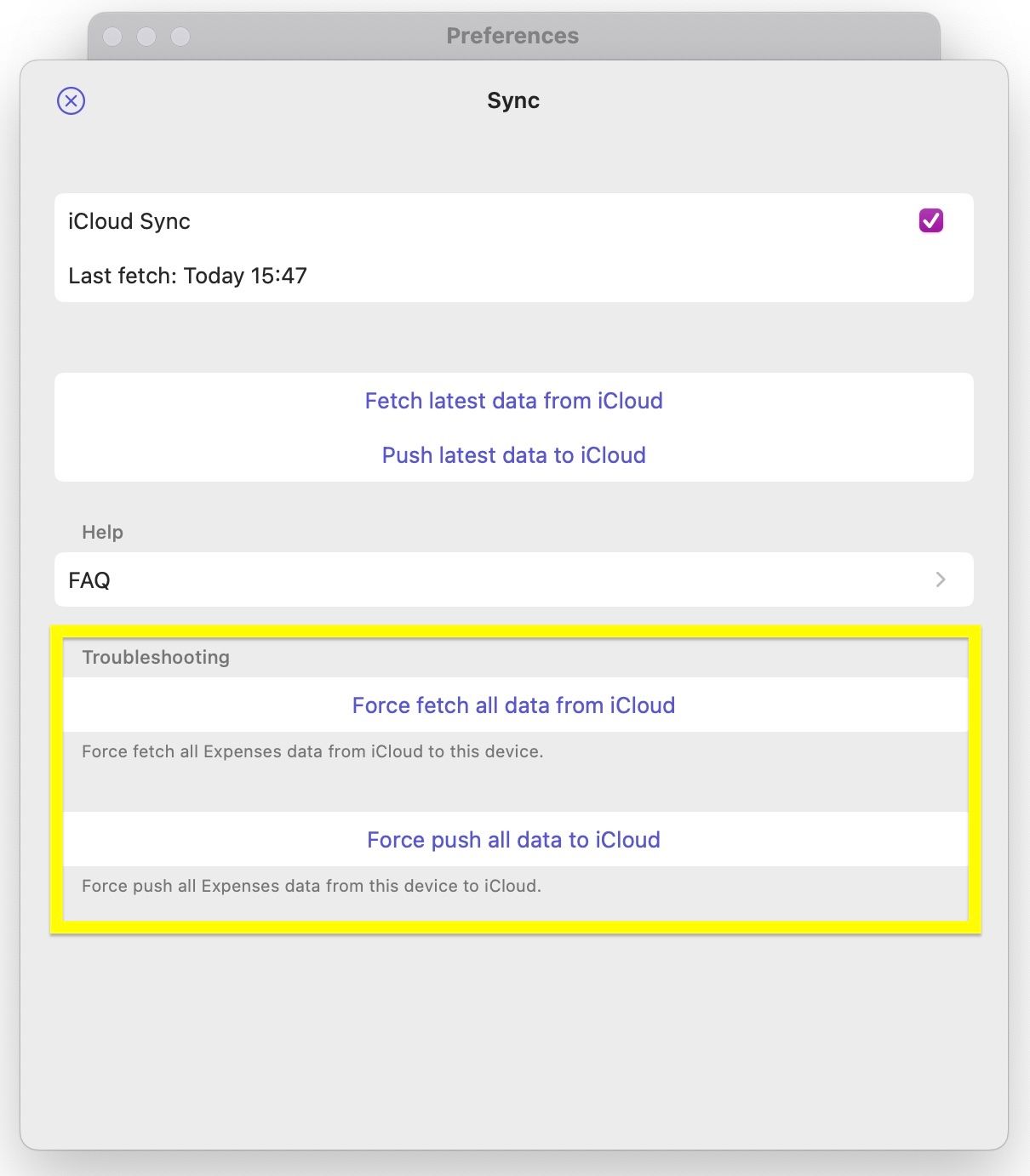
macOS
- In Expenses, open
Settings->Sync - Make sure
iCloud Syncis turned on - Click
Force push all data to iCloud - Click
Force fetch all data from iCloud - Check whether the data is synced
Sometimes Apple’s systems are unavailable. Also check the status page just in case.
If you still have questions, we're here to help. Please get in touch and we'll respond shortly.